Samsung Galaxy S25 FE Power Charger
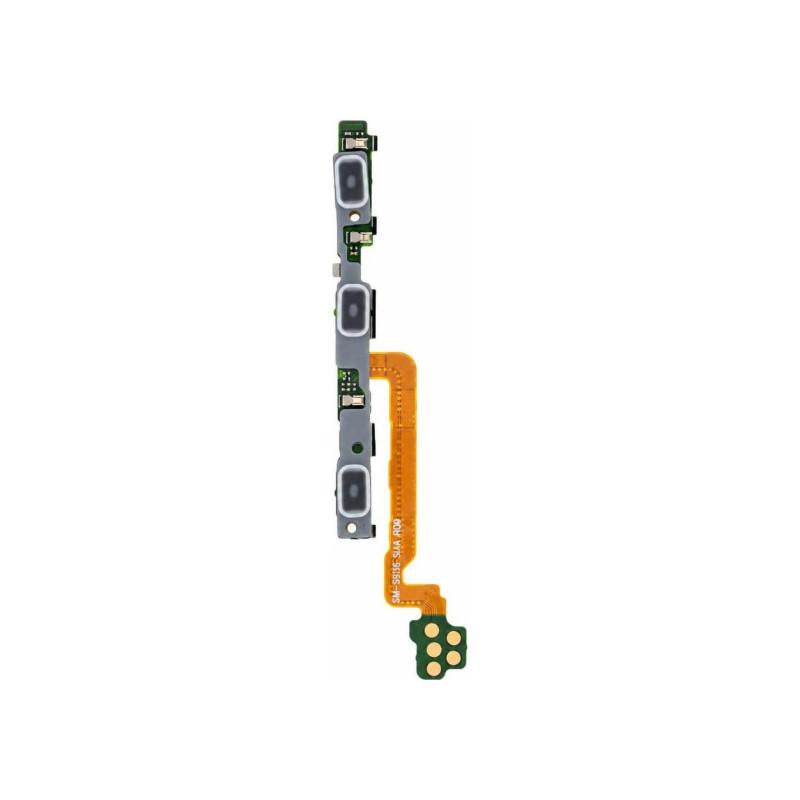
The Power Flex Cable for Samsung Galaxy S25 FE replaces the failing or unresponsive power button on your device. It is a compatible part, manufactured by a third party to replicate the specifications of the original part: neither a manufacturer part nor a reconditioned part. It offers an economical solution for this common repair, without compromising on button operation. Part supplied with a 2-year warranty.
Accessories
Power button no longer responds
On a Galaxy S25 FE, pressing the power button goes through an internal ribbon cable connecting this button to the motherboard. When it ages or cracks, the symptom is clear: the button becomes hard, you have to press several times to turn on or lock the screen, sometimes it no longer responds at all.
This power ribbon replaces this specific component. It does not touch the screen or the battery: only the power button circuit is affected.
What a compatible part changes
This ribbon is a compatible part: it is manufactured by a third party to reproduce the specifications of the original part, it has been neither refurbished nor extracted from a manufacturer device. It is this choice that makes it possible to offer a repair at a reduced cost on a component that is not visible and does not affect the screen rendering.
It is particularly suitable for common workshop repairs, where budget matters as much as the reliability of the result.
Made for the Galaxy S25 FE
This ribbon is designed specifically for the Samsung Galaxy S25 FE. The connector, its length and its location follow the internal layout of this model: it cannot be improvised on another chassis.
Installation that requires precision
The replacement involves opening the phone and accessing the motherboard: this is not a front-facing intervention. The ribbon connector is small and fragile, it disconnects and reconnects with a fine tool, without forcing on the motherboard.
As with any internal intervention, it is recommended to turn off the device and work on an antistatic surface to avoid damaging the motherboard during handling.
In case of trouble after installation
This part is covered by a 2-year warranty. If it presents a malfunction within this period, it is taken care of without the repair remaining at your expense.