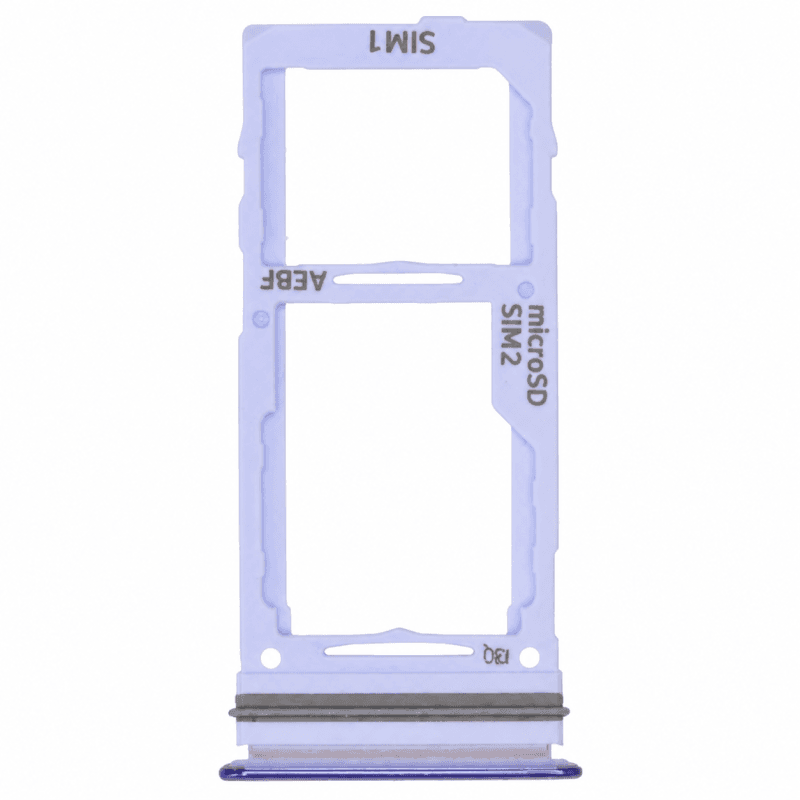
Samsung Galaxy A72 SIM Tray Purple
SIM tray for Samsung Galaxy A72, purple finish matching the original frame. Replaces a damaged, lost or stuck tray preventing nano-SIM card detection. Keeps the card stable in its slot and ensures electrical contacts for network recognition. Delivered ready to install: simply insert the nano-SIM, gold contacts facing down, then slide the tray into the side slot until it clicks into place. Part tested before shipping, 2-year warranty.
Accessories
The Samsung Galaxy A72 Violet SIM tray holds the nano-SIM in its side slot and ensures the connection between the card and the motherboard. This tray replaces a damaged, lost or stuck holder that prevents mobile network recognition.
When to replace the SIM card holder
A faulty tray causes a persistent "No SIM card detected" message, even after reboot. The mechanism refuses to come out completely or the card floats in its notch: the slightest movement cuts the signal. Forced ejection with a bent paperclip or unsuitable tool deforms the tray and prevents locking. A holder lost during a card change also justifies its replacement.
This Violet tray for Galaxy A72
This tray accommodates a nano-SIM in the notch provided by Samsung. It reproduces the original dimensions: the card remains stable during shocks, the gold contacts on the tray ensure reading upon insertion. The violet finish matches the edge color of the Galaxy A72 for a consistent result after replacement.
Card tray installation
Turn off the device. Insert the nano-SIM into the notch, gold contacts facing downward, then slide the tray into the side slot until it clicks into place. The tray sits flush with the edge once properly inserted: no play remains. Turn on the Galaxy A72 so the system recognizes the mobile card.
2-year warranty
This part comes with a 2-year warranty from delivery. It covers manufacturing defects and card recognition problems attributable to the holder. Deformations caused by forced insertion or a drop after installation remain excluded.