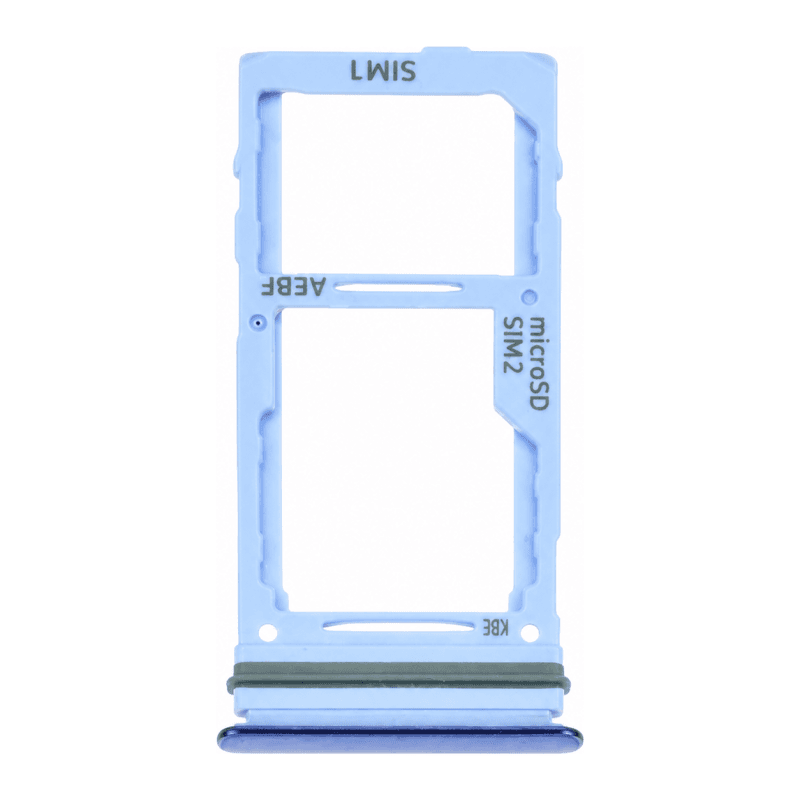
Samsung Galaxy A72 SIM Tray Blue
Replacement SIM tray for Samsung Galaxy A72, blue color. This holder keeps the nano-SIM card in its side slot and restores network connection when the original tray is lost, broken or warped after forced extraction. Installation without disassembly: place the card in the tray following the engraved direction, then slide the assembly into the slot until it clicks. The blue shade matching the frame preserves the original look of the Galaxy A72. Tested before shipping to guarantee a perfect fit. 2-year warranty covering manufacturing defects.
Accessories
SIM tray role on the Galaxy A72
The Samsung Galaxy A72 blue SIM tray holds the nano-SIM card in its side slot and ensures contact between the chip and the phone's internal connector. Without this holder, the device no longer detects the card: calls, SMS and mobile data become impossible, even if the chip remains valid. The Galaxy A72 then operates only on Wi-Fi.
Recognizing a faulty tray
Replacement is necessary when the tray no longer clicks into the edge, when it protrudes or sinks too deep, or when the phone no longer identifies the card despite a working chip. A deformed tray after forced extraction blocks access to the slot: impossible to insert or remove the nano-SIM without forcing. A missing or broken holder cuts all cellular connection.
Blue finish of the Galaxy A72
This tray matches the blue shade of the rear cover for a uniform appearance on the upper left edge, just above the volume buttons. A tray of another color remains perfectly functional but creates a visible contrast: check the color of your Galaxy A72 before ordering to preserve the original appearance.
Installation from the phone's edge
Installation requires neither tool nor opening the case. Turn off the device, place the nano-SIM card in the new tray respecting the engraved direction: the chip's notch must match the tray's guide. Slide the assembly into the side slot until it is flush with the edge. A correctly installed holder clicks in without forcing and does not protrude. If the tray resists, remove it and check the card's orientation before trying again. The tray is supplied alone, without seal or ejector: keep the pin supplied with the original phone, or use an unfolded paper clip to extract the old holder.
Pre-shipment inspection
Each holder is individually tested to guarantee precise fit in the Galaxy A72 chassis. This tray benefits from a 2-year warranty covering manufacturing defects and holder malfunctions. Excluded are damages caused by forced insertion, a drop after installation or device modification.