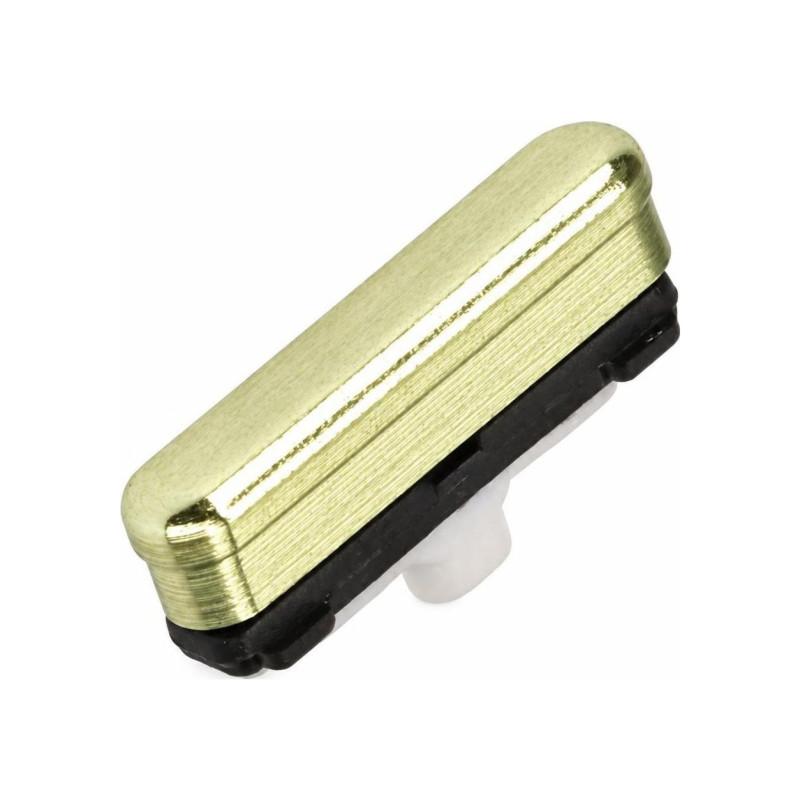
On/Off Button Samsung Galaxy S10e Yellow (Service Pack)
Samsung Galaxy S10e Yellow On/Off Button in Service Pack quality, original manufacturer part delivered in its repair packaging. This power button replaces the damaged, faulty or worn one on your Galaxy S10e. Button only, without volume key: verify this is indeed the version you need. Guaranteed 2 years, tested before shipment to ensure immediate operation.
Accessories
Yellow Samsung Galaxy S10e Power Button in Service Pack
The Samsung Galaxy S10e power button in Yellow color is an original manufacturer part supplied in Service Pack. This quality means it is a new part, provided in Samsung's repair packaging, with no processing or replacement performed. The manufacturer reference GH98-43737G precisely identifies this component for the Galaxy S10e G970.
Recognizing a Faulty Power Button
Several signs indicate it is time to replace the power button. A button that no longer responds to presses, that sinks in without returning, or that crackles on contact signals internal wear. Some devices display involuntary restart or inability to turn off the phone: these symptoms point to a failure of the switching mechanism. A button that makes noise when pressed, without ever activating the screen, confirms the diagnosis.
Service Pack Quality and Warranty
An original Service Pack button comes directly from Samsung and has undergone no workshop intervention. You receive a new, tested part in its repair packaging. This part benefits from a 2-year warranty. Choosing this quality ensures exact compatibility with your Galaxy S10e and reliable command operation on a daily basis.
Compatibility with the Galaxy S10e
This power button is designed for the Samsung Galaxy S10e G970, available in several colors depending on the commercial variants of your device. Verify that your phone's model matches before ordering: this is the only guarantee of trouble-free installation. The Galaxy S10e G970 is the sole model this sheet concerns.
Installation and Replacement of the Button
Replacing the power button requires partial disassembly of the phone to access the internal mechanism located on the side edge. Specialized tools and a certain dexterity are necessary: this intervention is intended for skilled technicians or equipped repair professionals. Improper handling risks damaging neighboring components or internal connection ribbons. If you are not confident in your abilities, entrust this repair to a professional.