
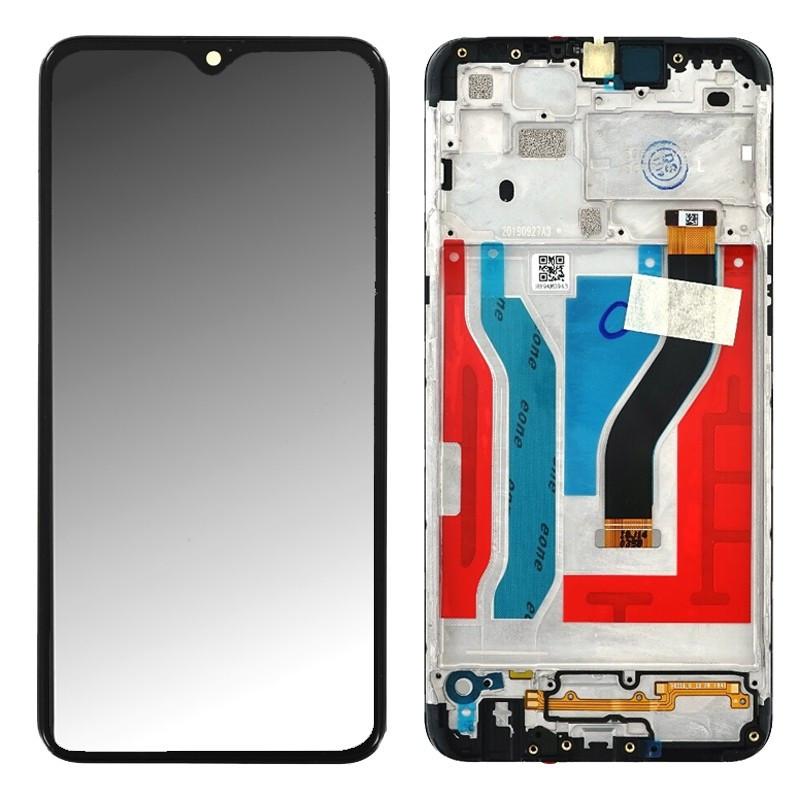
Full Screen Samsung Galaxy A10s (Original)
Restore your Samsung Galaxy A10s to its original display quality with this complete original screen. Designed to deliver sharp resolution, vibrant colors, and optimal touch responsiveness, this screen guarantees a smooth and immersive visual experience. Ideal for replacing a cracked, scratched, or non-functional screen, it is manufactured with high-quality materials for precise and durable installation. Choose this original screen for professional repair, extending your smartphone's lifespan while maintaining its impeccable performance and design.
Accessories
Replace the screen on your Samsung Galaxy A10s with this original complete screen. Perfect for repairing a cracked, broken, or non-functional screen, this display guarantees exceptional display quality and smooth touch responsiveness, identical to that of a new device.
Technical Specifications:
- Display Technology: PLS LCD screen for vibrant colors and balanced contrast.
- Size: 6.2 inches for spacious and comfortable viewing.
- Resolution: HD+ (1520 x 720 pixels) for sharp clarity and details.
- Pre-assembled Screen: Includes touch glass and frame for simplified installation.
- Perfect Compatibility: Designed exclusively for the Samsung Galaxy A10s, ensuring precise fit.
Why choose this original Galaxy A10s screen?
- Superior Visual Quality: Enjoy clear and bright display for your applications, videos and games.
- Perfect Touch Responsiveness: Ensure smooth and precise navigation for optimal user experience.
- Reliability and Durability: Manufactured to Samsung's strict standards for long-term use.
- Simplified Installation: Pre-assembled for quick and hassle-free mounting.
When to replace your Galaxy A10s screen?
- Cracked or Broken Screen: To restore the appearance and functionality of your smartphone.
- Display Problems: Dead pixels, black screen or colored lines affecting visual quality.
- Degraded Responsiveness: When the touch screen becomes unresponsive or unusable.
Installation Tips:
- Prepare the Phone: Power off the device before starting the repair.
- Position Carefully: Properly align the new screen with the chassis.
- Test Before Closing: Check display quality and touch responsiveness before finalizing the installation.